Motorcycle accessories and kits
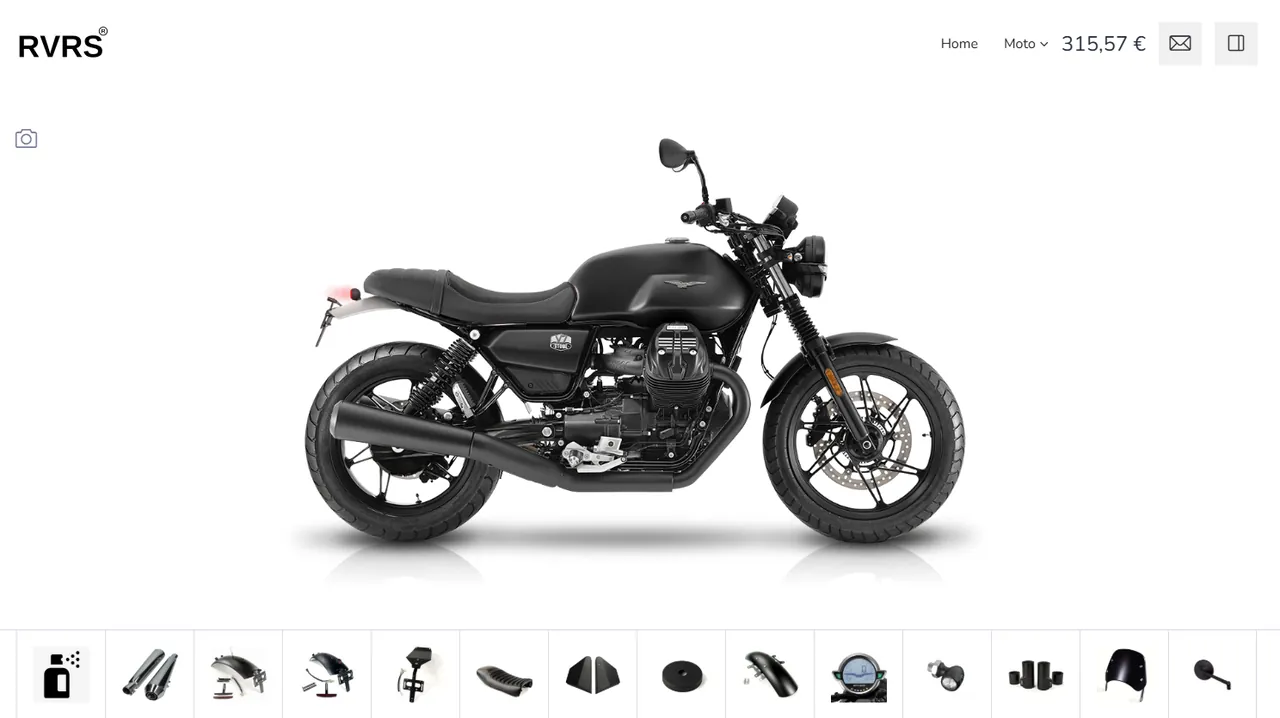
The configurator that shows the bike with the accessories fitted
Anyone buying an accessory for their motorcycle wants to know one thing: how will it look on mine? For a studio that designs kits for Moto Guzzi we built a configurator that answers with a picture, and carries the choice all the way to payment.
- Industry
- Motorcycle accessories and kits
- Type of work
- Product configurator on e-commerce
- What it includes
- Visual configurator, cart, dealer area
- Platform
- WordPress and WooCommerce
Where we started
A mudguard or an exhaust photographed on a white background says very little. Customers cannot judge the overall effect, or which parts can be fitted together.
In the shop a person explained it. Online, many closed the page, or wrote to ask and put off the purchase in the meantime.
What we built
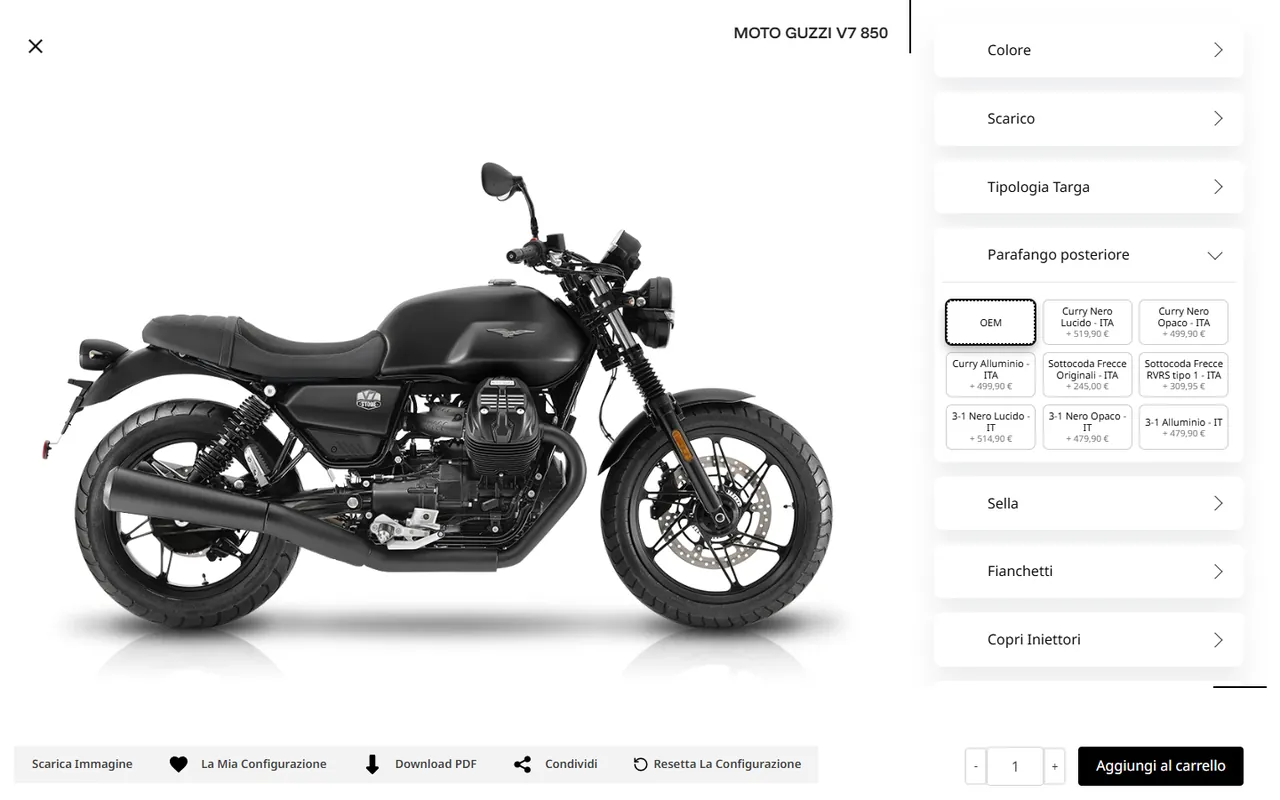
- Customers choose their bike model and start from the standard version.
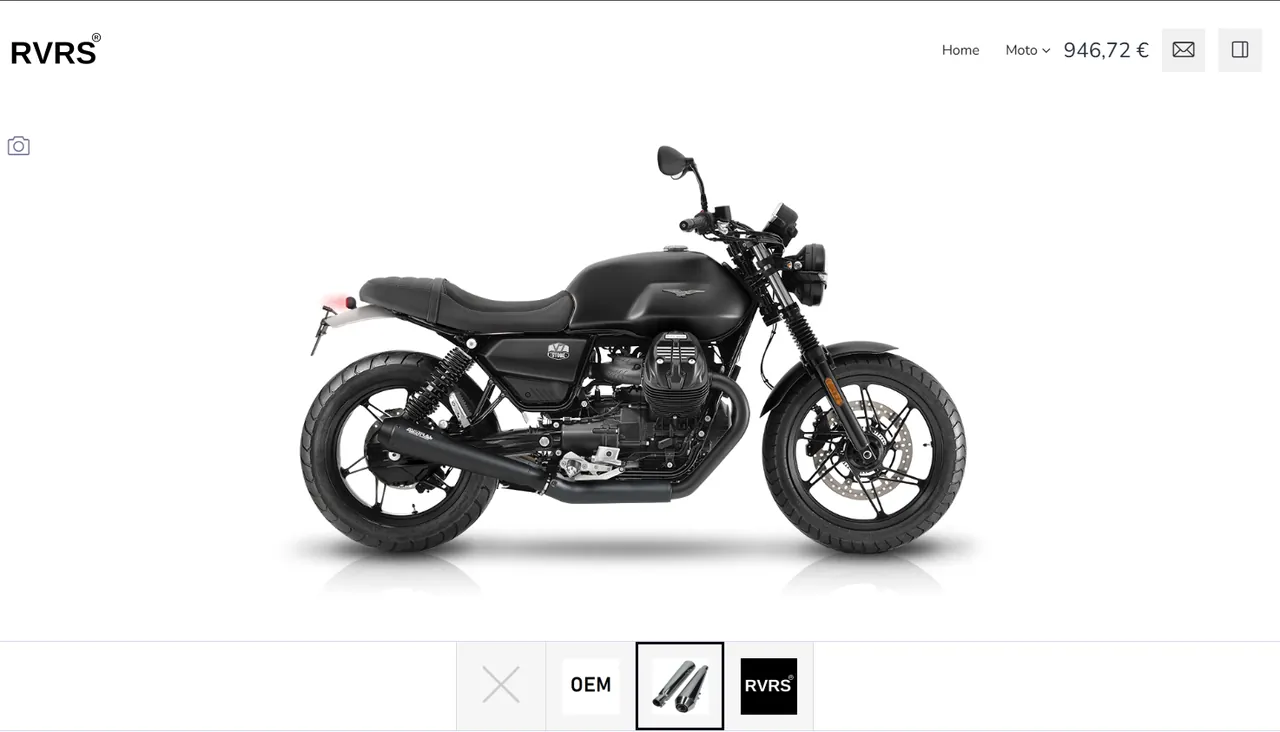
- With every accessory chosen the image updates: exhaust, seat, mudguards, windscreen, mirrors.
- The total price changes with every choice, and shows what it is made up of.
- The configuration goes into the cart with all its parts, ready to pay.
- It can be saved, shared with a link or downloaded as a PDF, to think it over or show it to someone.
- Dealers have a separate area with the same features.
How it works behind the scenes
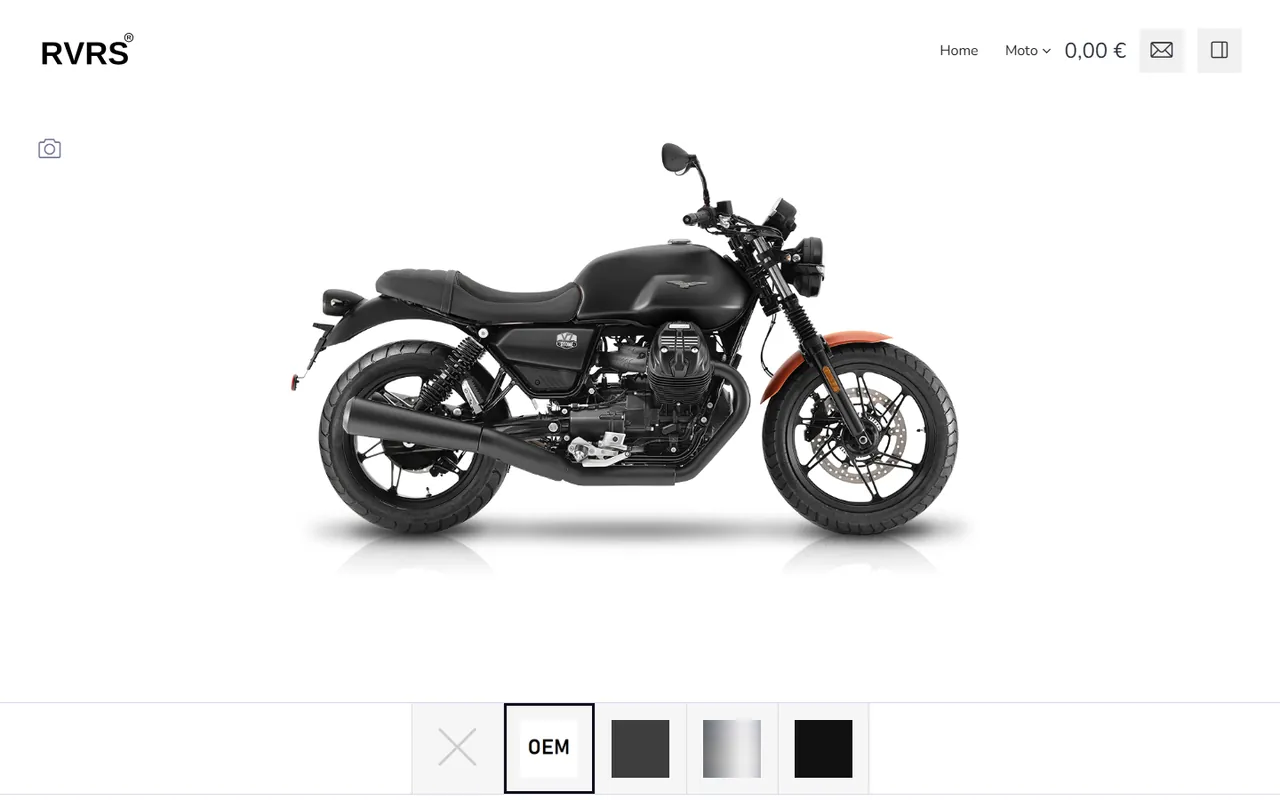
Each accessory is a graphic layer prepared with the same framing as the bike. The configurator stacks them in the right order, so adding a new part takes one photo, not a new photo shoot of every combination.
Whoever runs the shop adds accessories and prices from the dashboard, without touching code.
What changes
Customers put the kit together themselves and see it finished before paying. Seeing the parts fitted together, buying more than one comes naturally. And the shop gets fewer questions like “will it fit mine?”.
Frequently asked questions
Can a configurator be built for any product?
For almost any product made up of parts or variants: furniture, bicycles, windows and doors, footwear, machinery. The choices need to be shown with consistent images.
Do all the combinations have to be photographed?
No. Each part is photographed or drawn once, and the configurator composes the final image.
Does it connect to my online shop?
Yes. The configurator works inside the shop: the choice ends up in the cart and in the order with all its details.
Do we need 3D?
It depends on the product. For many, layered images are enough, and they are lighter and faster; 3D makes sense when customers need to rotate the object.
Related service Software and configurators