Vending machines, field sales
Xaflo Atlas: a custom CRM for teams that sell in the field
A company with sales reps on the road all day had customers, visits and quotes scattered across Excel sheets, diaries and phones. We built a CRM that tells each person what to do today, and tells the owner how sales are going.
- Industry
- Vending machines, field sales
- Type of work
- Custom software, later turned into a product
- What it includes
- CRM, map and visit routes, quotes, AI assistant
- Where it runs
- On the company's server or inside its WordPress site
Where we started
The reps were good at their job, but each worked in their own way. Deals lived in the head of whoever was following them: if someone was on holiday, nobody knew where a customer stood.
The owner saw the results at the end of the month, when it was too late to step in. And customers nobody had contacted for months stayed invisible until they moved to a competitor.
What we built
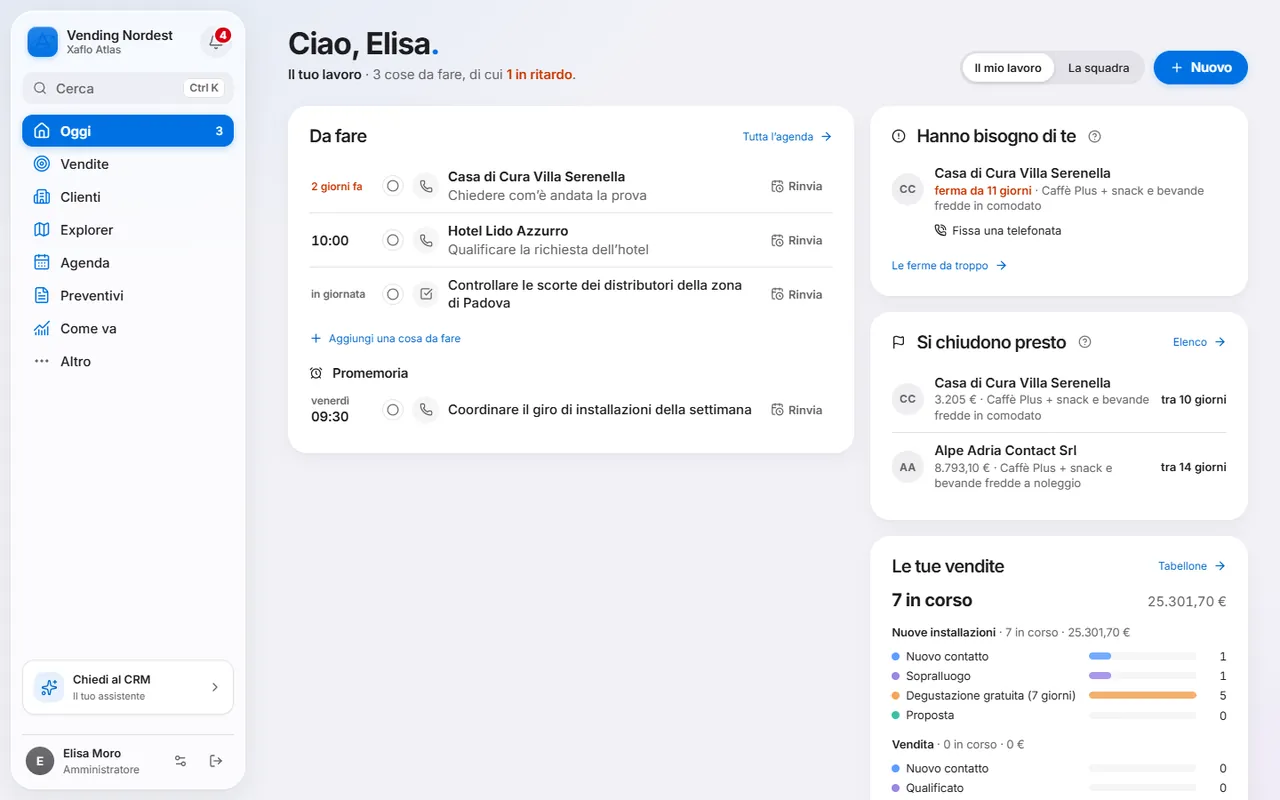
The CRM opens on the “Today” page: things to do, customers who have been quiet for too long and deals about to close. There is nothing to configure before you start using it.
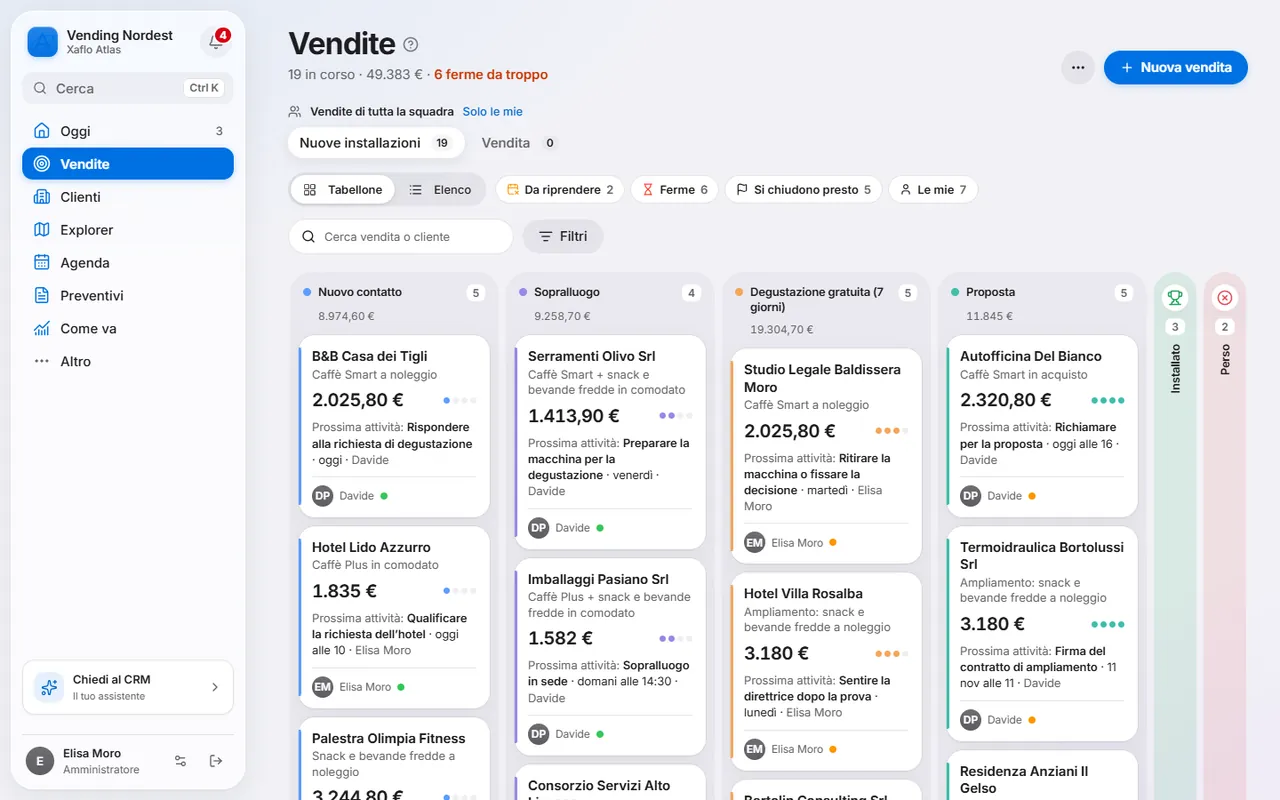
- A sales board by stage, with the value and next action of every deal.
- A customer page with contacts, history and quick actions: call, WhatsApp, email, quote.
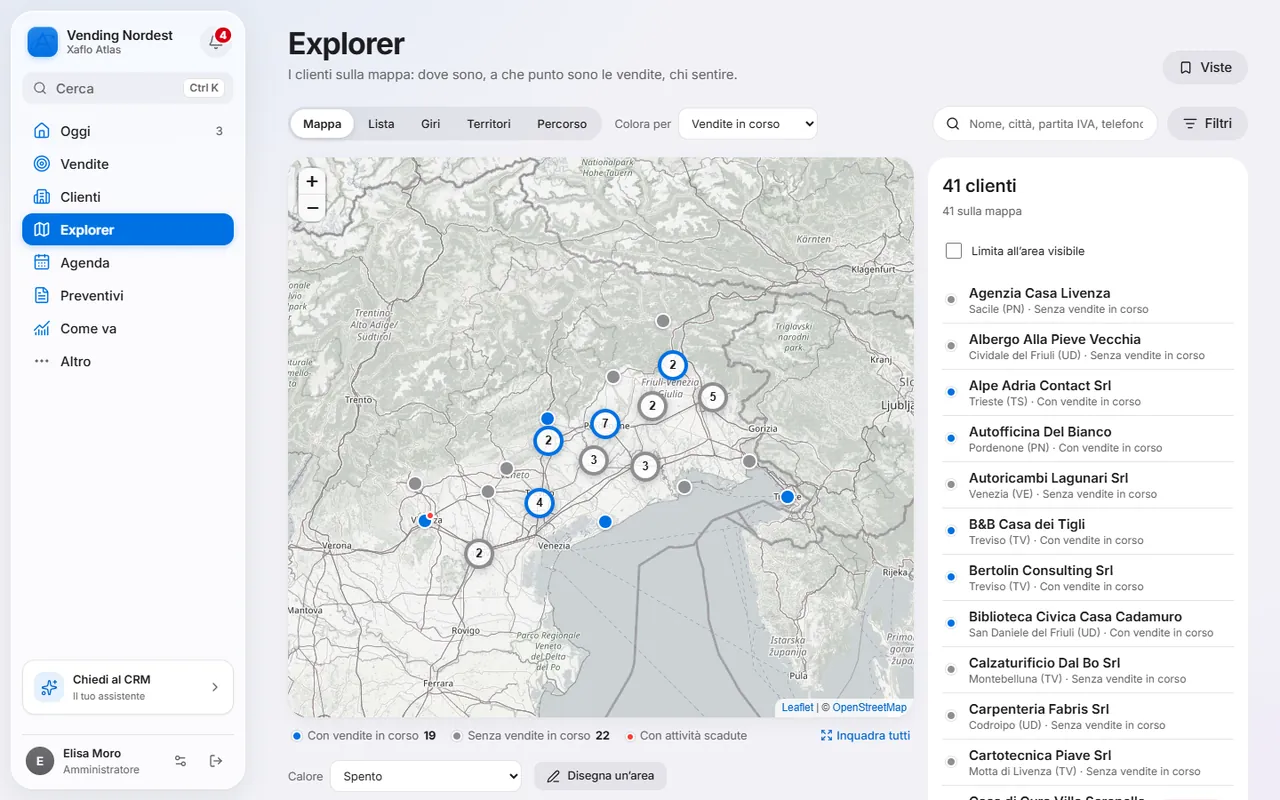
- Explorer: customers on a map, coloured by status; you pick the ones to visit and the CRM orders the route, along real roads.
- Sales by province and by municipality on the map, with the official ISTAT boundaries.
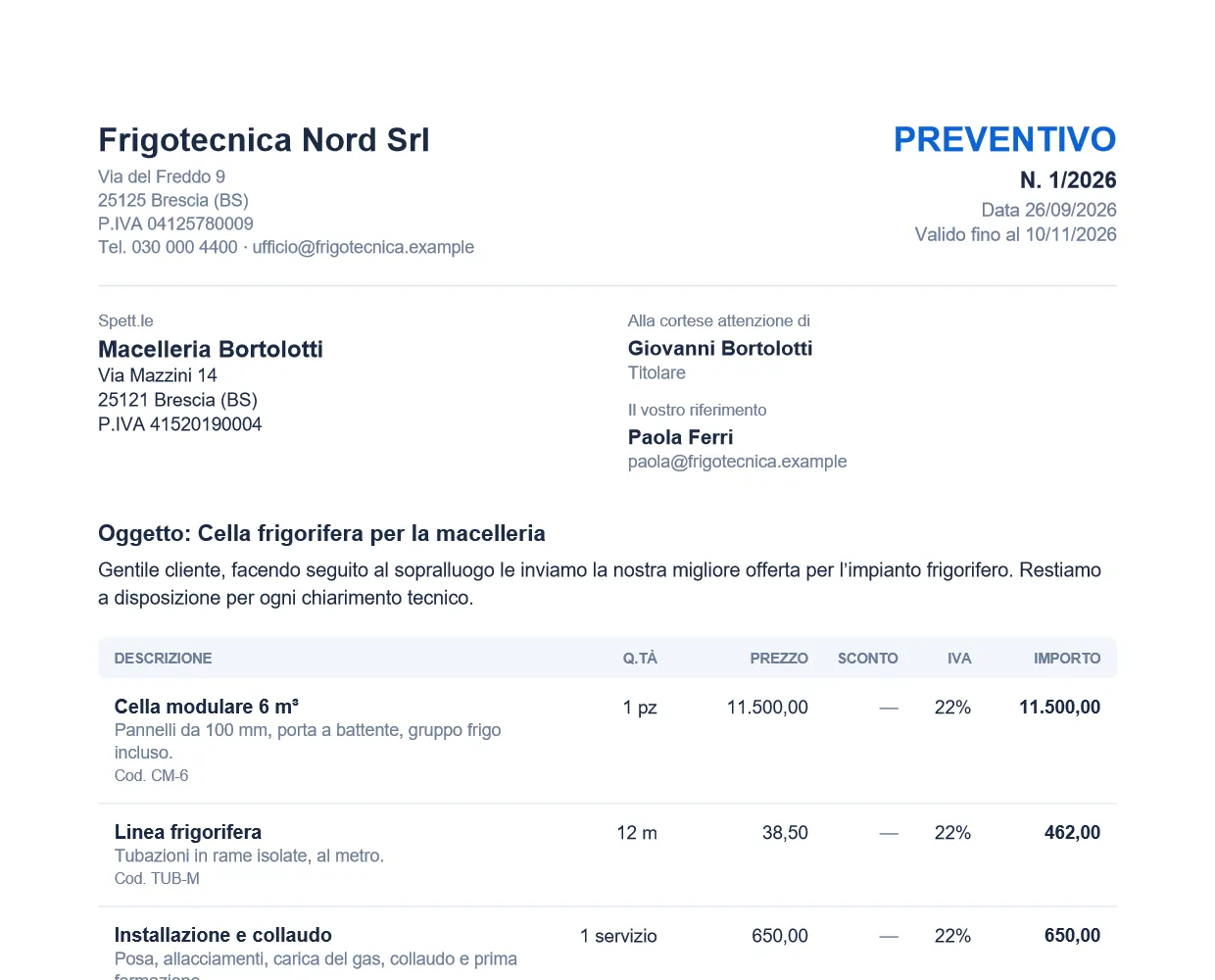
- PDF quotes from the price list, with the status of each: draft, sent, accepted, declined.
- Customer import from Excel, with duplicate checking.
An AI assistant that does nothing on its own
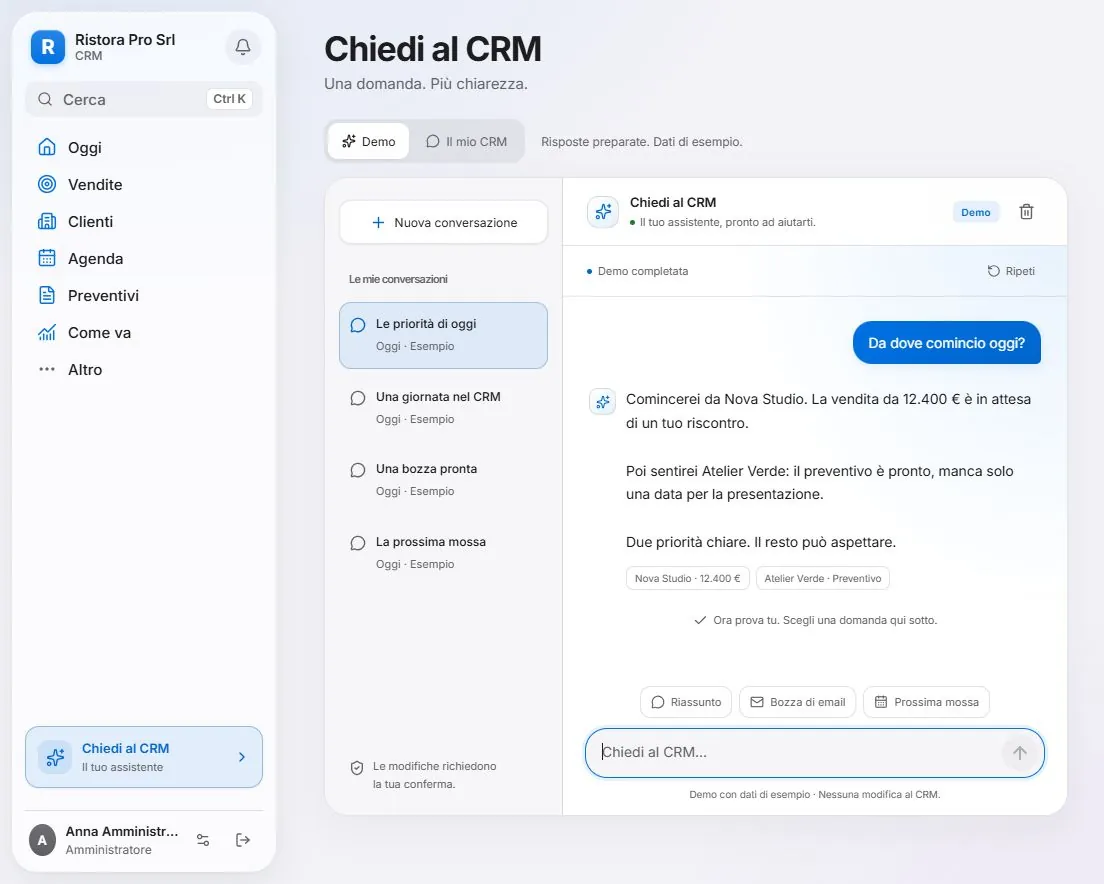
“Ask the CRM” answers questions written in plain language: where do I start today, what happened with this customer, draft an email for the people waiting for a quote.
It can also create an appointment or a draft, but it always asks for confirmation before saving. The assistant sees only what the person using it is allowed to see.
The data stays with the company
The CRM is installed on the client's server or inside its WordPress site: the data does not sit on a third-party platform. Every day it makes an encrypted backup and reopens it to check it.
Features are switched on in packages: anyone who does not use quotes or the map does not find them in the way.
What changes
Reps open the CRM in the morning and know where to start. The owner sees everyone's sales without asking anyone. And when a customer goes quiet for too long, someone notices in time.
Frequently asked questions
Does a custom CRM cost more than a subscription one?
At the start, yes, because you pay for the build. After that there are no per-user fees, and the CRM does exactly what the company needs, with no features paid for and never used.
Can we import the customers we already have?
Yes. Atlas reads Excel files, recognises duplicates and shows a preview before loading.
Does the AI assistant send our data to anyone?
The assistant can be kept switched off. When it is on, it works with the permissions of the person using it and every action has to be confirmed.
Does it connect to our ERP?
Yes, through a dedicated connection that brings the useful ERP data into the CRM at set times.
Related service Custom software